Showing posts with label Apple. Show all posts

Wednesday, 23 October 2013

Apple unveils iPad Air , iPad mini with Retina display : what's new?

Apple took care of the cycled iPhone refresh last month at its headquarters in Cupertino, California, and thus it was logical for the company to move on to the iPad lineup next. As such, Tim Cook and Co. today revealed a new generation of tablets, including a redesigned, thinner and lighter iPad Air and the long-rumored, much-awaited iPad mini with Retina display.

Apple iPad mini 2

The Apple iPad mini 2 still has a 7.9" screen with a 4:3 aspect ratio, but the resolution has quadrupled to 1536 x 2048 pixels and the pixel density has doubled to 324ppi.
The Apple iPad mini 2 will be available in November starting at $399, which is notably higher compared to the $339 starting price of the first iPad mini last year.

Apple iPad Air

The Apple iPad Air brings a new name, new design and more power. It received the new Apple A7 chipset along with the M7 motion co-processor. The other major upgrade is the design – it's based on the iPad mini and has narrower bezels (43% smaller) that make the tablet easier to handle.

The tablet is 20% thinner and now measures just 7.5mm, thinner than the iPad 2. The weight also went down big time - from 653g to 469g.


The Apple iPad Air will be available on November 1 starting at $499.

what's new? see how they stack up against last year's models.
iPad (late 2012)iPad Air
Display9.7-inch Retina display9.7-inch Retina display
Resolution2,048 x 1,5362,048 x 1,536
Pixel Density264 ppi264 ppi
CPU1 GHz dual-core Apple A6X64-bit Apple A7 with M7 motion coprocessor
Memory1GBTBD
Storage16GB/32GB/64GB/128GB16GB/32GB/64GB/128GB
Front Camera1.2-megapixel1.2-megapixel
Rear Camera5-megapixel iSight camera5-megapixel iSight camera
CellularGSM or CDMA, HSPA+ / LTEGSM or CDMA, HSPA+ / LTE
WiFiDual-Band 802.11 a/b/g/nDual-Band 802.11 a/b/g/n
Bluetooth4.04.0
Accelerometer3-axis3-axis
Gyroscope3-axis3-axis
Dimensions241.2 x 185.7 x 9.4 mm240 x 169.5 x 7.5mm
Weight (WiFi)652 grams (1.44 pounds)469 grams (1 pound)
Weight (Cellular)662 grams (1.46 pounds)478 grams (1.05 pounds)
Battery42.5-watt-hour lithium polymer32.4-watt-hour lithium polymer
PortsLightning, 3.5mm headphoneLightning, 3.5mm headphone
Location (WiFi)WiFi, Digital CompassWiFi, Digital Compass
Location (3G / LTE)aGPS, GLONASS, Cellular, WiFiaGPS, GLONASS, Cellular, WiFi
Minimum Price$499 WiFi-only, $629 Cellular$499 WiFi-only, $629 Cellular
Details accurate at launch
iPad miniiPad mini with Retina display
Display7.9-inch LED-backlit IPS LCD7.9-inch Retina display
Resolution1,024 x 7682,048 x 1,536
Pixel Density163 ppi326 ppi
CPU1 GHz dual-core Apple A564-bit Apple A7 with M7 motion coprocessor
Memory512MBTBD
Storage16GB/32GB/64GB16GB/32GB/64GB/128GB
Front Camera1.2-megapixel1.2-megapixel
Rear Camera5-megapixel iSight camera5-megapixel iSight camera
CellularGSM or CDMA, HSPA+ / LTEGSM or CDMA, HSPA+ / LTE
WiFiDual-Band 802.11 a/b/g/nDual-Band 802.11 a/b/g/n
Bluetooth4.04.0
Accelerometer3-axis3-axis
Gyroscope3-axis3-axis
Dimensions200 x 134.7 x 7.2mm200 x 134.7 x 7.5mm
Weight (WiFi)308 grams (0.68 pounds)331 grams (0.73 pounds)
Weight (Cellular)312 grams (0.69 pounds)341 grams (0.75 pounds)
Battery16.3-watt-hour lithium polymer23.8-watt-hour lithium polymer
PortsLightning, 3.5mm headphoneLightning, 3.5mm headphone
Location (WiFi)WiFi, Digital CompassWiFi, Digital Compass
Location (3G / LTE)aGPS, GLONASS, Cellular, WiFiaGPS, GLONASS, Cellular, WiFi
Minimum Price$299 WiFi-only, $429 Cellular$399 WiFi-only, $529 Cellular
Details accurate at launch

Wednesday, 11 September 2013

Apple launches iPhone 5C - Based on iPhone 5, Prices Starting from $549

Along with iPhone 5S, Apple announced the iPhone 5c. The device will be replacing the iPhone 5 and will be priced lower to reach out to a larger audience. The smartphone lived up to the numerous leaks, combining iPhone 5 internals with a plastic outer shell that comes in a number of bright colors. it uses a new construction method that has a reinforced steel structure.
Here come the specs – a 4" Retina display with the same resolution (640 x 1136 pixels), Apple A6 chipset (same as iPhone 5) running iOS 7, 8MP / 1080p camera, 100Mbps LTE connectivity, Wi-Fi a/b/g/n, Bluetooth 4.0. The iPhone 5c is thicker than the iPhone 5 - 9mm vs. 7.6mm - and heavier - 132g vs. 112g.
The camera is an 8MP iSight unit with BSI, hybrid IR filter and a 5 element lens. The front camera is now better with a 1.9 micron pixel size, BSI. The iPhone 5C will have support for dual band WiFi a/b/g/n, Bluetooth 4.0 and LTE as well. The phone will be available for $99 for the 16GB version and $199 for the 32GB version on a two year contract. 


Apple also plans to introduce a range of new cases that looks very snazzy at a price point of $29 each.

The subsidized unlocked prices for the iPhone 5C 16 GB version will be available for 549$ and the 32 GB version will be available for 649$. Let me do the direct conversion for you, the Indian National Rupee prices will likely be – Rs. 35,500/- for the 16 GB version and Rs. 42,000/- for the 32 GB version, rounding off to the nearest values without taxes and import duties.

Apple iPhone 5S officially unveils, Brings new A7 processor and Fingerprint sensor, prices starting from $649

Apple has announced the eagerly anticipated iPhone 5S in an event held at its campus . iPhone 5S is first of apple iPhone series device to be available in gold, Slate and Silver colours. It is powered with new A7 64 bit processor along with M7 Chip, first smartphone to be run on 64 bit processor. The iPhone 5S also brings an updated camera and revamped internals, read on to find out what the iPhone 5S is all about.

The A7 chipset

The Apple A7 is the first 64-bit mobile processor that has 2X the performance of the previous generation. The M7 on the other hand is a co-processor that can detect motion using a trio of sensors – Accelerometer, Compass and Gyroscope. Developers will be able to take advantage of it using their APIs.

What's more, regular apps will now have more information about things such as your mode of transportation. Thanks to the M7 processor, the Maps app, for instance, would be able to automatically switch to pedestrian mode as soon as you pull over your car and get out.

8MP camera

The new camera has a wider f/2.2 aperture (as opposed to f/2.4) and a 15% larger image sensor, which however is still 8MP. The larger surface has allowed for larger, 1.5 micron pixels (as opposed to the usual 1.4 micron ones). A larger camera sensor provides the benefit of lower image noise in low-light conditions and better tonal dynamic range in high contrast scenes.
There is also a new double LED flash on the iPhone 5s, which Apple has dubbed True Tone, called this way because it allows to achieve more accurate colors tone. It consists of two LEDs, with each having a different color temperature. By analyzing the scene, the iPhone 5s would decide what mix of the LEDs' color temperatures is needed to achieve a naturally lit scene. The dynamic mixing of the LEDs color temperature allows for up to 1000 variations of the light output temperature.

The camera also comes with new image stabilization, albeit digital one. It works by taking four photos with a short exposure time. Then the best parts of those photos are combined into one image with as little noise, subject motion, and hand shake as possible.

Slow motion video is also coming to the iPhone, with 720p 120 fps video capture. Pro Tip – Samsung just announced this for the Note 3 recently. The photo samples Apple showed at the Keynote looked really impressive, as usual.

Touch ID

iPhone 5s sports a touch sensor embedded into the Home button. It's called Touch ID.The Touch ID sensor is hidden behind a sapphire crystal lens. Around there is a metallic ring, which would detect the presence of your finger and activate the sensor without you pushing anything. It is 170 microns thin, senses 500 ppi and even scans your sub-dermial skin layers. The demo established that Touch ID is highly accurate.

Battery

Moving onto battery life, Apple stated that the standby time will be better than the iPhone 5 at 250 hours while you can do with 10 hours of browsing on LTE.

Price

As expected the iPhone 5s will be priced just as the iPhone 5 - in the US, at least, it will cost $200 for the inadequately equipped 16GB version, $300 for the overpriced 32GB version and $400 for the splurge 64GB edition.
The iPhone 4S 8GB will be heavily discounted and will be selling for free on a two-year contract. Sadly, the iPhone 5 will be discontinued, obviously to make way for the iPhone 5C.

Unlocked Apple iPhone 5S is priced at $649(Rs. 41,750) for the 16GB version, 749$(Rs. 48,200) for 32 GB and 849$(Rs. 54,616) for the 64 GB version.

Tuesday, 11 June 2013

iOS 7 announced with Refresh new look, Siri, multitasking, toggles and more

Apple CEO Tim Cook Announced a Whole New look of iOS 7 at at the WWDC 2013.
The iOS 7 is the most significant iOS update since the original iPhone that brings a whole new simplistic user interface with redesigned fonts. It also brings new features such as Control Center, AirDrop for iOS, smarter multitasking and lots more features.

iOS 7 has a new structure, applied across the whole system. Unnecessary bars and buttons have been removed. Phone, Maps, Calendar, Mail, Music, Messages, Weather, Clock, Videos, Notes, Stocks, Passbook, Newsstand, Compass, Contacts, Calculator, FaceTime, all the built-in apps have been redesigned to match the new simplistic User Interface.

New features in the iOS 7


The new Control Center has all in one controls just by swiping from the bottom of your screen. You have toggles for Airplane Mode, Wi-Fi, Bluetooth and Do Not Disturb,. You can also adjust screen brightness, pause or play a song, jump to the next track and stream your music with AirPlay. It also lets you access Clock, Camera, Calculator and the Flashlight.
The Notification Center can now accessed from any screen, including the Lock screen with a simple swipe. The new Today feature gives you an at-a-glance view of your day with a summary of the important details such as weather, traffic, meetings and events. The new All and Missed views let you see all your alerts or just those you haven’t addressed in the last 24 hours. It has new Notification sync feature dismisses a notification on all of your devices when you dismiss it on one device .


iOS 7 has improved Multitasking that offers developers the ability to enable any app to multitask in the background with a new API. It learns when you like to use your apps and automatically keeps your content up to date in the background. You can press the Home button twice to see preview screens of the apps you have open and just swipe it up and out of preview to quit.


The new Camera app has new UI. It features filters so you can add real-time photo effects, square camera option, Panorama and option to quickly and easily switch between your four cameras – video, photo, square and panorama, with just a swipe.
  
The redesigned Photos app has the new Moments that automatically organize your photos and videos based on time and location. You can zoom out to see all your photos organized by Moments, Collections of Moments and Years The iCloud Photo Sharing lets family and friends contribute their own photos and videos to your shared photo streams, and the new Activity view displays updates from your shared streams all in one place.


The AirDrop features lets you quickly and easily share content with people nearby. You’re automatically visible in AirDrop to your contacts running iOS 7. Just select who you want to share with and AirDrop does the rest. Transfers are peer-to-peer so you can use it anywhere, without any network or set up required, and transfers are fully encrypted so your content is protected and private.

New Safari in the iOS 7 has redesigned user interface including full-screen browsing. The new smart search field helps simplify searching by automatically suggesting the closest match to what you’re looking for as you type. It has bookmarks and your Safari tabs. The iCloud Keychain stores your passwords and credit card information securely and syncs with all your devices. This has enhanced Parental Controls that allow you to automatically block access to adult websites or only allow access to a specific set of permitted websites.


The Music app has a beautiful new design and includes the new iTunes Radio You can access featured Stations, stations inspired by music you choose or already listen to, and more than 200 genre-based stations. It would be available later this year.

Siri now has new male and female voices and includes Twitter search integration, Wikipedia integration, Bing web search and the ability to change device settings and play back voicemail. Now when you ask Siri something, audio waves move across your screen, letting you know Siri is listening and processing your request.


It also has lots more new features. The new App Store has Apps Near Me feature that shows a collection of popular apps relevant to your current location. And a new Kids category spotlights the best apps for children based on age.Find My iPhone can continue to display a message with your phone number on the Lock screen. If you get your iPhone back after you’ve already erased it, just enter your Apple ID and password to reactivate it.

The iOS 7 beta software and SDK are available for iOS developer program members at the Apple developer’s site and would be available this fall for the iPhone 4 and later, iPad 2 and later, iPad mini and iPod touch (fifth generation). Some features may not be available on all products.

Wednesday, 20 February 2013

iWatch may be the next Big Thing by Apple

Speaking of the future, it looks like there’s a good chance there will be an Apple-made watch in it. That means two things are on their way: Tons of speculation and an equal amount of “iWatch” puns and wordplay. 


 According to reports, Apple is definitely working on some sort of wrist wear that could be out in the very near future. If you choose to believe the latest reports, the supposed iWatch is definitely in production, whether we want it to be real or not. With other options already beating Apple to the market with the smart watch idea, Apple will have to step up its game. 
 We know the company has been down this path before with the iPod Nano as an accessory, but we’re hoping this idea is a little better than a wearable afterthought. Let’s all fast forward two years when smart watches are a whole market and reports about the latest one with a 6-inch screen.

Yet another Rumor of iWatch is Below :

Apple TV launched in India for Rs 7,999.

Apple TV service has officially been launched in India and is priced at Rs 8,295 at iTunes store. However the media streaming device of Apple is not yet available at retail stores. We could only locate it on Rediff Shopping where it is selling for Rs 7,999.
 Apple India spokesperson told The Mobile Indian,"The device has been launched officially in India and will be available in stores in next 7 to 10 days."
 Apple TV is a media streaming device that lets users play content from services like YouTube, Netflix, Hulu Plus, and Vimeo. However it has no storage of its own. It offers access to Apple's iTunes Store, through which users can purchase or rent movies, or buy music they can also stream content from any other Apple device like iPhone, iPad, Mac or iTunes (both Mac and Windows) wirelessly using WiFi with the help of a feature called Airplay. Apple TV can also be used to wirelessly mirror the display of iOS devices as well as Macs.
 The iTunes store is now officially available for Indian with local content so it seems to be the right time to launch Apple TV.
 Apple TV supports up to 1080 pixel resolution, and features an HDMI port, a micro-USB port, Ethernet port, a built-in IR receiver (for the remote) and supports WiFi connectivity. The device is powered by an Apple A5 processor, and comes with 512 MB RAM and 8 GB NAND flash memory for caching content.
 Apple TV will appeal to Apple fans here in India as it will allow them to seamlessly use the large screen TV for the content on any other Apple device. Pricing also is not very high for the device itself, but since most of the content on the iTunes and other movie rental services is paid, it might not have a big appeal with non-Apple users.

Wednesday, 6 February 2013

GupShup launches mobile messenger app for free messaging

Gupshup Technologies today launched its social messaging mobile app, called GupShup Messenger, for smartphones and feature phones.
 It has features like public and private messaging in which users can seamlessly switch and easily share messages with followers and friends respectively.
On the smartphone front GupShup is available for Andriod, iOS , BlackBerry and Nokia S40 platform and it works like normal SMS service in Java based phones. It uses data services in smartphones to send across messages and pictures.
Interestingly, if the message recipient does not have the app installed in his phone, GupShup will deliver the message to him free in the form of a regular SMS.

BBC Sport launches free app for iPhone and iPod touch


BBC Sport has released a free mobile application for iPhone and iPod touch devices for international users.
The customisable app provides football transfer news, along with live text coverage of many different sports.
Other features, including video, will be introduced soon; as will a version for Android.
The app's football live scores section allows you to follow the action, whether you're at the match, or out and about.
For football, it provides a league-by-league overview of the latest scores and goal scorers at a glance, with dedicated match pages for more in-depth information, bringing together starting line-ups, match stats, live text commentary and the post-match report.

You can download the app from iTunes here.

Tuesday, 5 February 2013

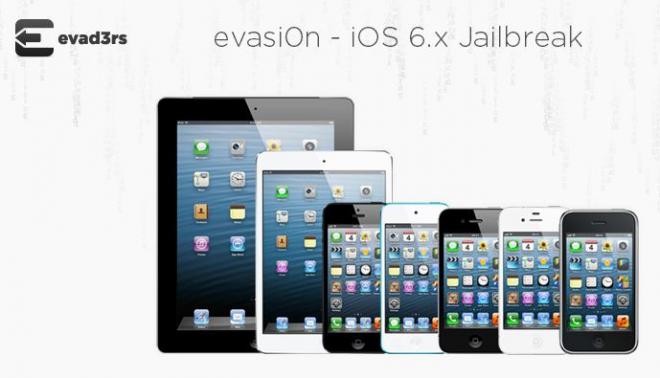
Evasi0n Released: How to jailbreak any iOS 6 device, including iPhone 5 [Tutorial For Mac, Windows]


Evasi0n Released: How To Jailbreak iOS 6, 6.0.1, 6.0.2, 6.1 Untethered On iPhone 5 And Other Devices
 Evasi0n is compatible with all iOS 6 flavors, including iOS 6.0, 6.0.1, 6.0.2, and 6.1. The new untethered jailbreak tool supports every iOS device (excluding Apple TV 2 and Apple TV 3) that is capable of running iOS 6 and above. Below is a list of all the supported devices:
 - iPhone 5, iPhone 4S, iPhone 4, iPhone 3GS
 - iPad 4, iPad 3, iPad 2, iPad mini
 - iPod touch 4, iPod touch 5
 Although evasi0n works on any iOS 6 firmware – iOS 6.0 through 6.1, it’s still recommended to upgrade the device to iOS 6.1 version before trying out the jailbreak so that you don’t miss out of the new features of Apple’s latest firmware update.
 In addition, the users are also recommended not to update their devices over the air (OTA) if they are willing to jailbreak. Instead, they can download the iOS 6.1 firmware and update via iTunes to avoid any issues.

Requirements


- A computer running at least Windows XP or above, Mac OS X v10.5 or above, Linux (x86 / x86_64)

- An iOS device running iOS 6.0 through 6.1 (Check the version in Settings / General / About => Version)

- A USB cable to connect the device to the computer

Note


- Backup your device using iTunes (or iCloud) before using evasi0n

- Disable the lock passcode of your iOS device before using evasi0n to avoid unwanted issues

- Avoid all iOS and iTunes related tasks until evasi0n is done with the jailbreak

If the process gets stuck somewhere, you can restart the program, reboot the device (by holding down Power and Home until it shuts down) and rerun the process.

In case you get an error on OS X 10.8 saying that evasi0n can't be opened, control-click (or right-click) the app and on the revealed context menu, choose “Open.” On the ensuing dialogue box, choose “Open” as well.

The following tutorial is meant for Mac OS X and Windows users. It should be noted that while most of the steps for both the platforms are similar, there are a few instances where they differ. Therefore, the users should follow the steps very carefully.

 Steps to Jailbreak


Step 1: Download evasi0n for your OS (Windows / Mac / Linux) and extract the package. Windows user can save it on their desktop.

Step 2: Mac users should double click on the evasi0n app to run it.

Windows user should right click on the vasi0n.exefile and select “Run as administrator.” Click on “Yes” if a User Access Control window appears.

Step 3: If you have set a passcode on your device, disable it. To do this, go to Settings > General > Passcode Lock > and select Turn Passcode Off.

Step 4: Connect the device to your computer via USB cable.

Step 5: If connected properly, evasi0n will show amessage that it has detected the device. After thedevice gets detected, the Jailbreak button will become active.

Step 6: Now, click on the Jailbreak button to start the process.

Step 7: A number of automatic steps will follow, including preparing jailbreak data, injecting jailbreak data, rebooting the device, uploading Cydia, and uploading the Cydia packages list. It will take some time. So wait for evasi0n to complete its task.

Step 8: Once done, a new screen will pop up asking you to unlock your device. After you unlock the device, a new app icon named “Jailbreak” will appear on the Home screen. Tap the icon only once, and the screen will go back and return to the Home screen instantly.

Step 9: Now you will get some messages like injecting jb data, and Root Filesystem successfullyremounted on the evasi0n tool. During this stage, your device may reboot multiple times. Sit back and wait.

Step 10: After the jailbreak is finished, a “Done!” message will appear. The device will now reboot.The first boot may take some time. The device might restart several times, so don’t panic.

Step 11: For Mac users, the device will display a large Evasi0n logo on a white background. You will also get some brief messages like “Setting upfstab and AFC2,” “Setting up Cydia,” “Setting up Cydia packages,” “Clearing SpringBoard Cache” and “Rebooting.”

After some blinker, the device will reboot one last time. Once done, you will again get the whiteevasi0n screen with another set of messages including “Initializing offsets” “Finding offsets,” “Patching kernel,” “Cleaning up” and “Done! Continuing boot.”

After this, you will be on your Lock screen. The jailbreak process is now complete. Swipe over to the second Home screen to find the Cydia icon.

For Windows users, once you are done with Step 10, a large evasi0n logo will show up on the device screen. The logo will blink once or twice and then will stay on for a bit longer.

After that, you will be on the device’s Lock screen.Slide to Unlock the device and the Cydia icon will be there on the device’s second Home screen.


Jailbreak Process Completed
Older Post ►
 

© 2014 Tech Rout | Technology and App News. The content is copyrighted to Ajay Dhanju and may not be reproduced on other websites without permission or credit.